 En
En Fr
Fr
I wrote an editorial in Reformation Weekly entitled “In Flesh and Bones”.
You can read it on Reformation’s website or below.
Les rencontres en chair et en os me manquent. Pourtant, j’aime les nouvelles technologies ; c’est formidable de pouvoir faire des visioconférences à l’autre bout du monde ; le télétravail permet de gagner un temps considérable dans les transports. Mais si je reste trop longtemps sans sortir de chez moi, je commence à me sentir seul. J’ai beau communiquer sur les réseaux sociaux, ça ne me suffit pas.
Regarder un film chez soi, se faire livrer à manger, ce n’est pas pareil que d’aller au cinéma ou au restaurant. Il manque quelque chose. Et encore, j’ai la chance de ne pas vivre seul, je profite chaque jour de ma famille. Il n’empêche que j’ai hâte de recommencer à circuler normalement, de retrouver mes amis, de vivre des temps forts de prière collective lors de grands rassemblements. Que cela me plaise ou non, j’ai besoin des autres. L’année 2020 me l’a bien montré.
Ou plutôt rappelé. Car ce constat, on le trouve dès les premières pages de la Bible. « Il n’est pas bon que l’homme soit seul », déclare Dieu après avoir créé Adam (Genèse 2,18). Quelques versets plus loin, Ève pointe le bout de son nez. Adam s’exclame : « Os de mes os et chair de ma chair ! » (verset 23). C’est le cas de le dire, puisque Ève est issue de l’une de ses côtes. Mais cette expression nous rappelle aussi que nous sommes des êtres corporels. Nous avons besoin de relations incarnées, c’est-à-dire « en chair », sans quoi nous perdons notre humanité.
Cette dimension est d’ailleurs au cœur de Noël. Ce bébé si fragile, dans la crèche, c’est la Parole divine « devenue chair » (Jean 1,14). Elle aurait pu se manifester à nous sous la forme d’un héros ailé déchirant les cieux, mais elle choisit de devenir pleinement humaine. Noël nous invite ainsi à célébrer l’incarnation. Paradoxalement, beaucoup d’entre nous devront fêter Noël sans leurs proches cette année. Dans ces moments difficiles, je réalise davantage encore mon besoin de vivre une humanité incarnée, toute fragile qu’elle soit. Vivement les retrouvailles en chair et en os !
(Michael Langlois, “En chair et en os”, Réforme 3878, 17 décembre 2020, p. 2)
SEE ALSO
 Former. Informer. Réformer.
 Epidemic and Pentecostal Theology: Interview on Campus Protestant
Epidemic, lockdown and plague in the Bible: Interview on Campus Protestant
Epidemic and Pentecostal Theology: Interview on Campus Protestant
Epidemic, lockdown and plague in the Bible: Interview on Campus Protestant
 Interview: Bible and Migrants, in Reformation Magazine
 The History of the Jacob Cycle, in Tel Aviv
 A Prophetic Birth May Hide Another
 Saga semitica, episode 2 in Pharm’Aviv
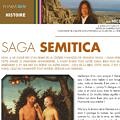 Saga semitica in Pharm’Aviv