 En
En Fr
Fr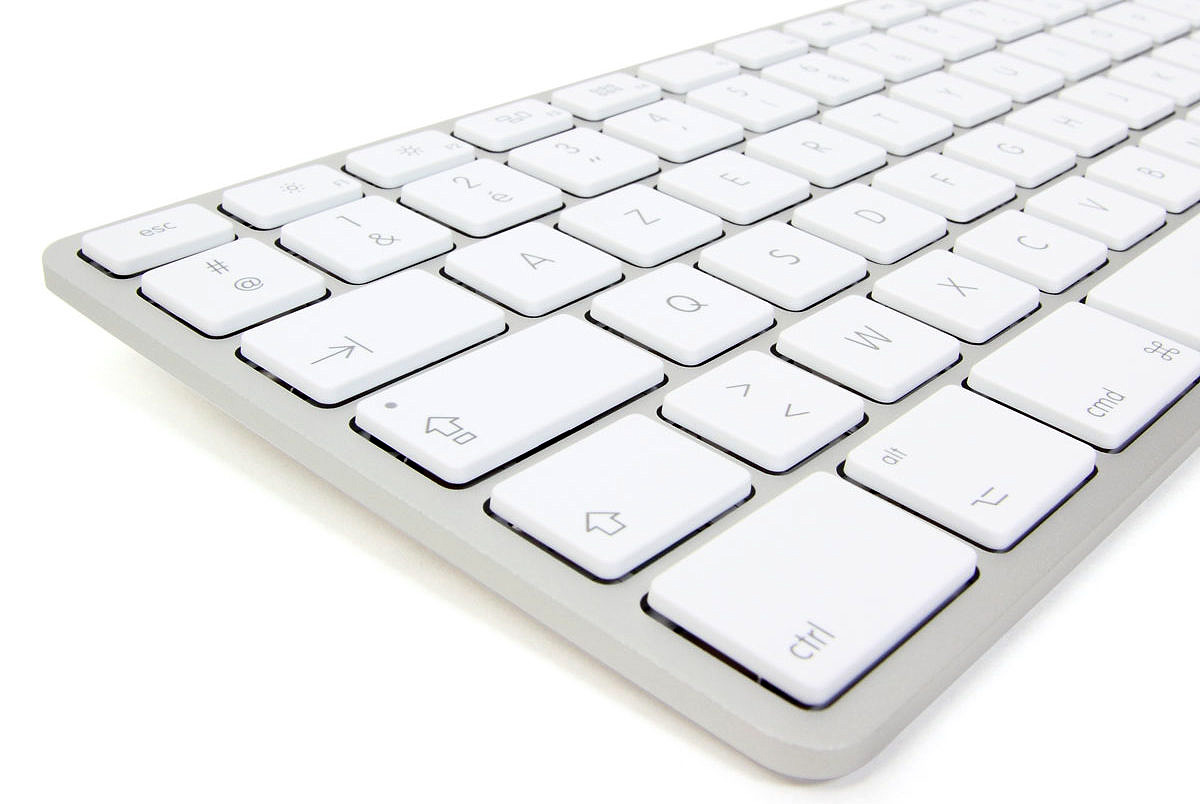
Here is version 1.2 (Mac) of my Unicode keyboard “Greek AZERTY.” The Windows version is available here.
Installation
→ Please follow installation instructions here.
Usage
- In your word processor (for instance TextEdit), place the cursor where you want to input text with this keyboard.
- Click on the menubar language icon, and choose my keyboard
- Once you’re done using this keyboard, click on the menubar language icon and choose “French.”
Functions
Alphabet
Letters are located on the corresponding keys of a French keyboard:
- α : touche a
- β : touche b
- γ : touche g
- δ : touche d
- ε : touche e
- ζ : touche z
- η : touche h
- θ : touche q
- ι : touche i
- κ : touche k
- λ : touche l
- μ : touche m
- ν : touche n
- ξ : touche x
- ο : touche o
- π : touche p
- ρ : touche r
- σ : touche s ; σ final (ς) : ALT+s
- τ : touche t
- υ : touche u
- φ : touche f
- χ : touche c
- ψ : touche y
- ω : touche w
Diacritical mark
Contrary to French keyboard usage, diacritical marks are always typed after the letter to which they belong (even if they are positioned to the left, e.g. a breathing mark on an upper case letter).
- esprit doux : touche $ ; esprit rude : MAJ+$ (ex : MAJ+w puis MAJ+$ → Ὡ)
- accent aigu : touche é (ex : MAJ+w puis MAJ+$ puis é → Ὥ)
- accent grave : touche è
- accent circonflexe grec : touche à
- accent circonflexe : touche ^
- trémas : MAJ+^ (ex : touche i puis MAJ+^ puis touche é → ΐ)
- iota souscrit : touche ç (ex : touche w puis touche ç puis touche à → ῷ)
- macron : ALT+MAJ+^
- tiret haut : ALT+-
- double trait en chef : ALT+MAJ+-
- brève : ALT+^
- rond souscrit : ALT+* ; en chef : ALT+MAJ+*
- point souscrit : ALT+;
- accent aigu pointé : ALT+MAJ+”
- accent grave pointé : ALT+MAJ+è
Independent diacritical marks
- esprit doux seul : ALT+$ ; esprit rude seul : ALT+MAJ+$
- accent aigu seul : ALT+MAJ+é
- circonflexe grec seul : ALT+é
Punctuation and symbols
- point d’interrogation grec (ressemble à un point-virgule) : touche ;
- point-virgule grec (point en haut) : touche :
- signe numéral grec : touche ‘ ; souscrit : ALT+è
- kai (ϗ) : touche & ; majuscule (Ϗ) : ALT+&
- chi-rho (☧) : MAJ+`
Other Letters
Variant Shapes
- bêta bouclé (ϐ) : ALT+b
- epsilon lunaire (ϵ) : ALT+e ; réfléchi (϶) : ALT+MAJ+e
- thêta cursif (ϑ) : ALT+q ; majuscule (ϴ) : ALT+MAJ+q
- kappa cursif (ϰ) : ALT+k
- upsilon crochet (ϒ) : ALT+MAJ+u
- pi cursif (ϖ) : ALT+p
- rhô à queue (ϱ) : ALT+r ; barré (ϼ) : ALT+MAJ+r
- sigma lunaire (ϲ) : ALT+c ; majuscule (Ϲ) : ALT+MAJ+c
- sigma lunaire réfléchi (ͻ) : touche @ ; majuscule (Ͻ) : MAJ+@
- sigma lunaire pointé (ͼ) : ALT+d ; majuscule (Ͼ) : ALT+MAJ+d
- sigma lunaire pointé réfléchi (ͽ) : ALT+@ ; majuscule (Ͽ) : ALT+MAJ+@
- phi droit (ϕ) : ALT+f
Supplementary and Archaic Letters
- digamma (ϝ) : touche v ; majuscule (Ϝ) : MAJ+v
- digamma pamphylien (ͷ) : ALT+v ; majuscule (Ͷ) : ALT+MAJ+v
- heta (ͱ) : ALT+h ; majuscule (Ͱ) : ALT+MAJ+h
- yot (ϳ) : ALT+i
- koppa (ϟ) : touche ù ; majuscule (Ϟ) : MAJ+ù
- koppa archaïque (ϙ) : ALT+ù ; majuscule (Ϙ) : ALT+MAJ+ù
- sampi (ϡ) : touche j ; majuscule (Ϡ) : MAJ+j
- sampi archaïque (ͳ) : ALT+j ; majuscule (Ͳ) : ALT+MAJ+j
- san (ϻ) : ALT+x ; majuscule (Ϻ) : ALT+MAJ+x
- stigma (ϛ) : ALT+ç ; majuscule (Ϛ) : ALT+MAJ+ç
- sho (ϸ) : ALT+t ; majuscule (Ϸ) : ALT+MAJ+t
Editorial Symbols
Anciant Greek Editoral Symbols
- coronis éditorial (⸎) : ALT+”
- paragraphos (⸏) : touche §
- paragraphos fourchu (⸐) : ALT+§ ; réfléchi (⸑) : ALT+MAJ+§
- hypodiastole (⸒) : ALT+,
- obèle pointé (⸓) : ALT+MAJ+,
- ancora vers le bas (⸔) : ALT+: ; vers le haut (⸕) : ALT+MAJ+:
- chevron vers la droite à deux points (⸖) : ALT+MAJ+;
New Testament Editorial Symbols
These sigla, used in Greek New Testament editions, are used with a dead key: ALT+n. That is, you must press ALT+n, then release, then press the desired key in the list below.
- anglet de substitution ouvrant (⸀) : touche r ; pointé (⸁) : MAJ+r
- crochets de substitution ouvrants (⸂ ⸃) : touches ( & )
- crochets de substitution ouvrants pointés (⸄ ⸅) : MAJ+( & MAJ+)
- signe d’interpolation élevé (⸆) : touche t ; pointé (⸇) : MAJ+t
- signes de transposition (⸉ ⸊) : touches ALT+( & ALT+) ; pointé (⸈) : ALT+MAJ+(
- carré élevé (⸋) : touche @
- oblique d’omission élevée (⸍ ⸌) : touches é & è
Common Editorial Symbols
- 〈 〉 : ALT+< et ALT+MAJ+<
- ⟦ ⟧ : ALT+! et ALT+MAJ+!
- ⸢ ⸣ : ALT+MAJ+w et ALT+MAJ+=
- ⸤ ⸥ : ALT+w et ALT+=
- ○ : ALT+à
If you have any suggestions to improve this keyboard, just let me know by leaving a comment below!
Ça marche parfaitement. Merci beaucoup pour cet outil !
A titre personnel j’utilise le clavier de l’ENS : http://www.antiquite.ens.fr/ressources/ressources.htm#logiciels
j’avoue ne pas très bien comprendre les concordances que vous avez choisis entre le clavier azerty et les caractères grecs.
En tout cas merci pour le clavier hébreu, dommage que je sois tombé dessus après la fin de ma licence en théologie….
Les concordances sont mnémotechniques : alpha sur la touche a, beta sur la touche b, gamma sur la touche g, etc. Idem pour les accents : accent aigu sur la touche é, accent grave sur la touche è, etc. C’est ce qui permet de mémoriser rapidement l’emplacement des touches. Mais il y a bien sûr d’autres claviers avec d’autres systèmes, et si celui de l’ENS vous convient mieux, vous avez bien raison de l’utiliser ! (Vive la diversité ! 😉 )
Je devais être trés fatigué hier soir. J’ai confondu le “γ” avec un “Y”, d’où mon manque de compréhénsion …..
Vous m’avez déjà beaucoup aidé pour préparer une séance sur les manuscrits de Qumran.
Maintenant grâce à vous, je peux faire mes exercices de grec biblique directement sur mon mac.
Un double merci donc.
Je vais diffuser l’info !
Bonjour
Voici exactement l’outil dont j’ai besoin pour travailler le grec biblique sur mon mac mais étant peu versée dans l’informatique, je ne parviens pas à trouver la moindre “icone de langue” dans la barre d’outil du logiciel open office que j’utilise (mellel est trop perfectionné pour mon mac qui est OS 10.4 seulement) : pouvez-vous m’aider ?
Merci
L’icône n’est pas liée au logiciel ; elle se trouve sur la barre de menu de votre Mac. Si elle n’apparaît pas, allez dans les Préférences systèmes, dans le menu consacré aux paramètres linguistiques, et activez-la. Lorsque vous activez un clavier (qu’il soit français, anglais ou grec), il s’applique à tout logiciel ouvert (qu’il s’agisse d’OpenOffice, TextEdit ou Mellel).
Demande de secours pour installer une fonte (SBL) dans MacTex. Peut-être certains parmi vous l’ont fait? J’ai hâte d’utiliser les claviers de Michael.
Merci beaucoup
Je n’utilise pas MacTex, mais en principe sous Mac la gestion des polices est commune à tous les logiciels : il suffit de copier la police dans le dossier Bibliothèque > Fonts, ou de l’ouvrir et de cliquer sur “Installer la police”. Ensuite il suffit de redémarrer son traitement de texte favori, et en principe il détecte la nouvelle police ! 😉
Bonsoir, merci pour l’outil. je voudrais juste savoir si ca marche aussi avec Word? Merci.
Oui, ça marche aussi avec Word (même si ce n’est pas le traitement de texte idéal sur Mac…)
Merci beaucoup. J’avoue k c’est le meilleur clavier du grec ancien que j’ai jamais utilisé. 🙂
Sinon, commment tapper le signe “:” (deux-points) avec ce clavier svp? Merci!
Les deux-points n’existent pas en grec, je ne les ai donc pas inclus dans mon clavier. Pour saisir ce caractère, il vous suffit de basculer vers le clavier français (CMD+ESPACE) et d’appuyer sur la touche :
J’ai compris. Merci beaucoup!
Bonjour,
J’essaie d’utiliser cet outil extrêmement pratique ! Mais j’ai un problème : je ne parviens pas à faire en sorte que les esprits soient placés sur les voyelles : ils apparaissent systématiquement à côté… Je travaille sur Mac OS X, avec Word 2011. Votre aide me serait précieuse… Merci !!
Je viens de faire le test (MacOS X 10.6.8, Microsoft Word 2011 14.2.2) avec trois polices courantes : Times, Times New Roman et Gentium. Je n’ai aucun problème de placement des esprits. Notez qu’ils doivent être saisis (à l’aide de la touche “$”) après la voyelle sur laquelle ils doivent se placer ; c’est la police qui gère leur positionnement correct. Par exemple, dans le cas des majuscules, l’esprit sera — comme on s’y attend — décalé vers la gauche. Idem si vous saisissez ensuite un accent aigu (touche “é”).
Bonjour,
Merci beaucoup de m’avoir répondu aussi rapidement !
J’ai persévéré, recommencé à l’aide de vos indications, tatonné… et finalement, je parviens à placer correctement les esprits à condition d’actionner la touche “cmd” en même temps que la touche $ pour l’esprit doux, et la touche cmd + maj + $ pour l’esprit rude.
Sauvée !!!
Merci encore pour cet outil si pratique.
Merci pour ce clavier totalement intuitif, je luttais avec des claviers qui étaient pour moi illogiques (donc difficiles à retenir) depuis que je suis passée en unicode ! Je le transmettrai à mes étudiants !
Juste une question : quand je saisis du grec dans un document word, cela ralentit considérablement la vitesse à laquelle les lettres tapées apparaissent dans le document, ce qui n’est vraiment pas pratique… Y a-t-il un moyen d’éviter cela avec word ?
Bizarre… Personne ne m’a jamais parlé d’un tel ralentissement, et sur mon Mac âgé de 3 ans (sous système MacOS X 10.6 comme 10.8) tout va très bien. Peut-être est-ce un problème de police ?
Est-ce parce que j’utilise un MacBook avec un système plus ancien OSX 10.4.11 ? Mais le clavier est légèrement différent, puisque a donne (;), α vient à la lettre q , w donne ζ, x donne ψ et v donne ω !….
En tout cas, merci pour votre passionnant site que je viens de découvrir.
Quel clavier physique avez-vous sur votre Mac ? Est-ce le clavier par défaut ? Est-il AZERTY (= français) ?
J’ai sans doute la solution. Jusqu’ici, c’était bien un clavier azertyuiop qui me donnait en première ligne en grec : ;ςερτυθιοπ, en deuxième lige : ασδφγηξκλ΄
en troisième ligne : ζχψωβνμ. Et puis en revérifiant les paramètres “menu saisie”, quelle surprise une apparition ce matin. Entre le clavier grec que j’avais sélectionné et le clavier “grec polytonique” (?), est apparue la mention : gerc avec clavier français michaël langlois ! Je l’ai sélectionné aussitôt et cela marche : αζερτψυιοπθσδφγηϡκλμωξχϝβν. Μιλλε μερχισ !
Un très grand merci pour ce clavier que j’utilise depuis plusieurs années, notamment pour les inscriptions grecques.
A ce propos, une question/requête : vous serait-il possible d’ajouter une fonction permettant de taper directement les “sigma carrés” (qui ressemblent un peu à un gros crochet [ ), et qui sont fréquents dans l’épigraphie d’époque romaine surtout ? Merci d’avance.
S’il s’agit du sigma lunaire, il est déjà intégré au clavier (ALT+c pour le sigma minuscule, ALT+MAJ+c pour le sigma majuscule). La forme de la lettre varie ensuite selon la police employée (forme plus cursive ou plus carrée). Si en revanche vous pensez à un autre caractère, merci de m’indiquer la valeur Unicode et je pourrai l’intégrer lors d’une prochaine version. À ce propos, les tableaux Unicode pour le grec sont disponibles ici : http://www.unicode.org/charts/PDF/U0370.pdf ; http://www.unicode.org/charts/PDF/U1F00.pdf ; http://www.unicode.org/charts/PDF/U10140.pdf
Bonjour,
Je n’arrive pas à trouver votre nouvelle version de clavier grec pour mac.
L’ancienne version m’oriente sur itunes et je ne sais plus quoi faire ensuite. J’ai un mac 10.10.5
Pouvez-vous m’envoyer un lien ?
Merci d’avance.
Philippe
Le lien est comme indiqué sur la page : https://michaellanglois.org/medias/grfr12mac.zip
Il fonctionne, je viens de tester 😉
Votre clavier est bien intéressant et, d’après ce que j’ai lu ci-dessus, très facile à mémoriser. J’aimerais vous demander s’il produit des caractères Unicode(s ?) décomposés ou précomposés. Pour mon usage personnel, je m’étais fait avec Ukelele une configuration produisant des caractères décomposés et cela me convenait très bien, mais je m’aperçois que sur certains sites ils ne sont pas reconnus ; il semble que les équivalence prescrites, sauf erreur de ma part, par le Consortium Unicode ne soient pas partout appliquées. J’ai bien jeté un coup d’œil au code de votre clavier mais j’avoue n’y entendre que le haut allemand 🙂
Merci d’avance de vos éclaircissements.
Ce sont des caractères décomposés, ce qui permet notamment l’accumulation de diacritiques (par exemple voyelle + esprit doux + accent circonflexe). Ils s’afficheront sans problème sur des systèmes récents (avec un bon logiciel et une bonne police le cas échéant, voir mes recommandations).
Bonjour,
J’ai téléchargé le clavier grec version mac. J’ai ouvert l’archive mais je n’arrive pas l’installer. J’ai glisser “Claviers Michael Langlois.bundle”dans “Drag here to install”. tout s’arrête là, je n’arrive plus à aller plus loin.
Pourriez-vous m’aider svp ? merci
Si vous avez suivi la procédure, les claviers sont installés. Redémarrez votre ordinateur et suivez mes instructions pour activer les claviers dans les préférences système. (Vous pouvez aussi contacter le support Apple pour activer les claviers.)
Bonjour,
J’ai suivi toutes vos inscriptions, mais je n’arrive pas à ouvrir le clavier dans word… Pourriez-vous m’aider, s’il-vous-plait?
Merci 🙂
Désolé je ne peux vous aider, mais vous pouvez contacter le support technique de votre ordinateur ou de Word 😉
C’est vraiment une merveille, un grand merci pour cet énorme travail !
Bonjour,
Je suis l’heureuse propriétaire d’un macbook pro 2017, synchronisé avec mon ancien mac où vos claviers étaient en place depuis fort longtemps (merci pour cet outil merveilleux) : le transfert s’est bien passé, mais les accents graves (è) et aigus (é) ne fonctionnent plus. J’ai essayé de réinstaller vos claviers sur ce nouveau macbook, mais en vain. Auriez-vous un conseil à me donner pour rétablir ces accents ? Merci vivement par avance.
Bonjour, mes claviers fonctionnent bien sur la dernière version de MacOS, le problème ne vient donc pas de là ; je vous invite dès lors à contacter le support technique Apple, qui sera à même de vous aider à résoudre ce problème. Merci ! 🙂
Slt cher prfesseur,
Je suis vos excellents cours il y a peu. Merci de vos prestations très synthetiques et pédagogiques. Par qilleurs, je n’arrive pas à installer le paquet des claviers grec, hebreu. Je suis bloqué au niveau de “faire gliser”. En fait quand je glisse l’icone “clavier Michel langlois. bundle” vers le dossier ‘Drag here to install” il n’ya aucune action qui se produit. Merci de m’aider.
Bonjour, merci de votre message, il s’agissait en effet d’un problème avec la nouvelle version de macOS. J’ai mis à jour le paquet en conséquence. Ça devrait marcher cette fois-ci. 😉
Ce clavier est un bijou. Bravo et un grand merci !
Bonjour,
J’utilisais votre clavier grec depuis de nombreuses années sous windows, et j’en étais ravie (merci!). Mais je viens d’acheter un Mac Book Air, et je ne parviens pas à l’installer : je suis scrupuleusement toutes les étapes (téléchargement, ouverture du fichier, redémarrage) et pourtant votre clavier n’apparaît jamais dans la liste des claviers proposés dans réglages… Est-il compatible avec les dernières versions de Mac OS? Je vous remercie.
Bonjour, j’utilisais votre clavier sous Windows et je l’adorais…mais je viens d’acheter un mac, et je n’arrive pas à l’installer. J’ai suivi scrupuleusement la procédure que vous indiquez pourtant. Le clavier n’est peut-être pas compatible avec les dernières versions de MacOs?
Bonjour, je suis moi-même sur Mac avec la dernière version de MacOS et mon clavier fonctionne. J’espère que vous trouverez la solution. Auquel cas n’hésitez pas à expliquer ici le problème et sa solution. Merci !!